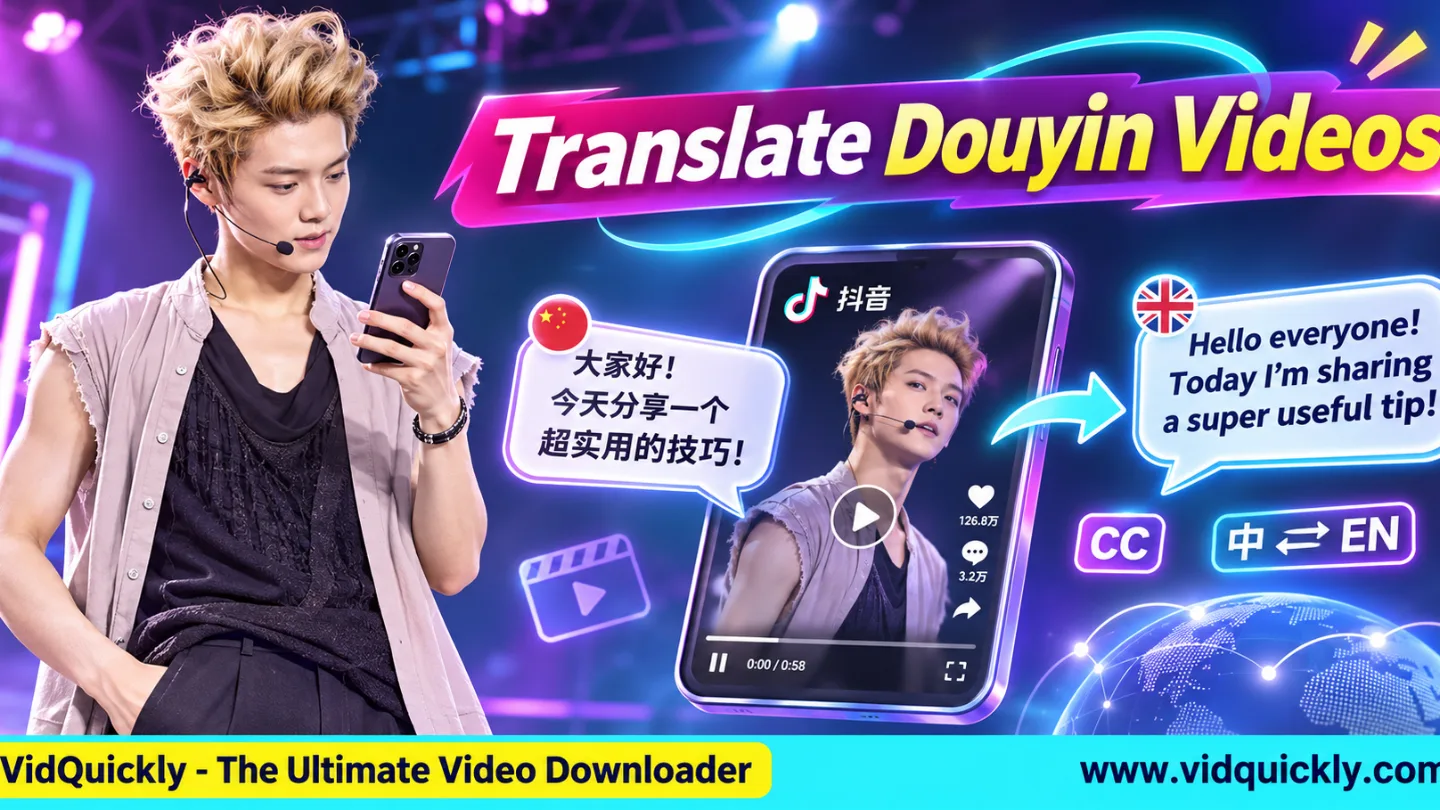
Want to translate Douyin videos to English? Save an authorized video, use a speech recognition tool to transcribe the Chinese audio, translate the transcript, and generate English subtitles. For a fully localized video, add an English voiceover and translate important on-screen text.
Douyin contains useful Chinese tutorials, product demonstrations, educational content, and entertainment. However, language differences can make these videos difficult for international audiences to understand.
This guide explains how to use AI translation tools, create English subtitles, translate Mandarin audio, correct translation mistakes, and prepare authorized Douyin videos for global viewers while respecting copyright and creator permissions.
Key Takeaways — Douyin Translation Checklist
- Save an authorized Douyin video in MP4 format.
- Identify the original spoken language.
- Generate an accurate Chinese transcript.
- Translate the transcript into natural English.
- Create and synchronize English subtitles.
- Translate important Chinese on-screen text.
- Add an English voiceover when necessary.
- Review names, numbers, product claims, and timing.
- Export and test the final video.
- Confirm commercial usage rights before publishing.
What Is a Douyin Video Translator and How Does It Work?
A Douyin video translator converts Chinese video content into another language through speech recognition, text translation, subtitle generation, or audio dubbing. A complete translation workflow may also include recognizing Chinese text displayed inside the original video.
Most translation tasks involve several separate technologies.
Can Douyin automatically translate videos into English?
Some accounts and app versions may offer translation-related features. However, you should not assume that Douyin provides complete English audio translation or downloadable English subtitle tracks for every video.
External translation tools offer more control over the final text and video.
Remember that Douyin and international TikTok operate as separate platforms. Read how China's Douyin content ecosystem works to understand their differences.
What is the difference between transcription and translation?
Transcription converts speech into written text in the same language. Translation converts that text into another language, such as English.
For example, a Mandarin product tutorial first becomes a Chinese transcript. A translation tool then converts that transcript into English.
Keeping these steps separate makes it easier to identify and correct errors.
Douyin Video Translation Methods Compared
| Translation Method | Input | Output | Best Use |
|---|---|---|---|
| Speech transcription | Chinese audio | Chinese text | Understanding original speech |
| Text translation | Chinese transcript | English text | Research and scripts |
| Subtitle translation | Timed Chinese captions | English SRT | Video localization |
| OCR translation | Chinese on-screen text | English text | Labels and graphics |
| AI voiceover | English script | English audio | Narrated videos |
| AI dubbing | Original video and audio | Translated video audio | Multilingual publishing |
Choose the method that matches your goal.
You may only need an English transcript for research, while a global publishing project may require subtitles and voiceovers.
How to Download and Prepare Douyin Videos for Translation
Before you translate Chinese TikTok videos, obtain an authorized copy with clear audio and usable picture quality. An MP4 file is useful for video editing, while an audio file can support speech recognition and transcript generation.
Always prefer original footage when you own the content.
How do you save a Douyin video for translation?
- Open the intended public Douyin video.
- Confirm that you have permission or another lawful basis to save it.
- Copy the video's individual share link.
- Visit VidQuickly's Douyin video download tool.
- Paste the copied URL.
- Click Download.
- Choose an available MP4 or audio option.
- Save the file to your device.
- Check video playback and sound.
- Record the original video URL and creator information.
VidQuickly supports compatible Douyin media downloads.
It prepares media for translation but does not automatically transcribe Chinese speech, generate English subtitles, or create translated voiceovers.
Should you download MP4 or MP3?
Choose MP4 when the translation requires visual context, subtitle timing, or on-screen text. Choose MP3 when you only need the spoken content and an audio download is available.
MP4 is generally the more useful starting format for complete video localization.
Keep the original video even if you create a separate audio file for transcription.
How do you prepare clear audio for AI translation?
Use a working copy and reduce background noise when possible. Avoid aggressive audio processing that removes parts of the speaker's voice.
Check for overlapping speakers, loud music, missing audio sections, and sudden volume changes.
Do not convert low-quality audio repeatedly. Additional compression cannot restore missing speech information.
How to Translate Douyin Videos to English With AI
To translate Douyin videos to English with AI, generate a Chinese transcript, review recognition errors, convert the text into English, and match the translated sentences to the original video timing. Human review remains important for accurate results.
A two-stage transcription and translation workflow offers useful quality control.
Method 1: Translate Douyin audio with Whisper
Whisper supports multilingual speech recognition and translation into English through compatible models. It can help researchers and editors process recordings without manually typing every spoken sentence.
Use a multilingual model that supports speech translation.
- Prepare your authorized MP4 or audio file.
- Open a Whisper-based application or local installation.
- Select Chinese as the source language when appropriate.
- Generate a Chinese transcript.
- Correct names and unclear sentences.
- Translate the corrected text into English.
- Save the resulting transcript.
- Review important information against the original recording.
Whisper also supports direct speech-to-English translation with suitable multilingual models.
However, reviewing the original Chinese transcript first makes factual errors easier to identify.
Method 2: Translate Chinese videos with CapCut
CapCut offers speech recognition and subtitle translation features in supported versions. It is a practical option for creators who want to edit their video and translated captions within the same application.
- Open CapCut and create a project.
- Import the authorized Douyin MP4.
- Find Auto Captions or a similar caption feature.
- Select Chinese as the recognition language.
- Generate the original captions.
- Correct Chinese transcription mistakes.
- Choose English as the translation language.
- Review the translated captions.
- Adjust text placement and timing.
- Export the video or supported subtitle file.
Feature names, language support, export options, and subscription requirements can vary by device and application version.
Method 3: Translate an existing Chinese transcript
If a video already has Chinese subtitles or a transcript, you can use a text translation service instead of recognizing the audio again. This method works well when you have access to accurate source text.
Copy or export the authorized transcript.
Translate it into English, then review each sentence with the video.
Keep product names, technical terms, measurements, and speaker meanings consistent.
Do not assume the original Chinese captions are error-free.
How to Generate English Subtitles for Douyin Videos
Douyin English subtitles allow global viewers to understand Chinese speech while preserving the original speaker's voice. Generate timed captions, translate them into readable English, and export them as a separate subtitle file or as text displayed directly inside the video.
Choose the subtitle format based on the destination platform.
What is the difference between SRT and burned-in subtitles?
SRT stores subtitle text and timing information in a separate file. Burned-in subtitles become part of the video image and remain visible during normal playback.
Both formats have different practical benefits.
| Feature | Separate SRT Subtitles | Burned-in Subtitles |
|---|---|---|
| Editable after export | Yes | No, not independently |
| Viewer can hide text | Usually | No |
| Included inside video pixels | No | Yes |
| Requires subtitle support | Yes | No |
| Easy to translate again | Yes | Limited |
| Suitable for social videos | Platform-dependent | Often practical |
Keep a separate subtitle file whenever possible, even if you also export a version with permanent English captions.
How do you create a Douyin English SRT file?
An SRT file contains numbered subtitle segments, start times, end times, and corresponding text. A Douyin subtitle generator can create these segments automatically, but editors should review them before publishing.
A typical workflow is:
- Generate captions from the Chinese audio.
- Correct the original transcript.
- Translate each caption into English.
- Keep the associated timestamps.
- Adjust subtitle duration when needed.
- Export the English captions as SRT.
- Import the SRT into a compatible player or editor.
- Test synchronization with the video.
For example, a simple SRT segment looks like this:
1
00:00:01,000 --> 00:00:04,000
This tool helps you save space.
Save subtitle files using UTF-8 encoding to support different languages.
How do you make English subtitles easier to read?
Use short sentences, natural English, and enough reading time.
Avoid displaying large paragraphs over a short product demonstration.
Keep important text away from interface buttons and existing Chinese captions.
Do not cover safety warnings, product labels, or creator identification.
For export settings, review important Douyin video formats and specifications.
Always check the destination platform's current requirements.
How to Translate Chinese On-Screen Text and Add English Voiceovers
Speech translation alone cannot explain every part of a Douyin video. Chinese captions, product labels, diagrams, and written instructions may require visual text recognition, while English voiceovers require a separate translated script and audio production process.
How do you translate Chinese text inside a Douyin video?
Use optical character recognition, also called OCR, to identify Chinese characters inside video frames. This approach is useful when important text appears as part of the picture rather than as a separate subtitle track.
- Pause the video at a clear frame.
- Capture an authorized screenshot.
- Open Google Lens or another suitable OCR tool.
- Select the relevant Chinese text.
- Translate it into English.
- Compare the result with the visual context.
- Add a separate English annotation if needed.
Google explains screenshot and image translation in its official Google Lens feature guide.
OCR tools may struggle with decorative fonts, moving text, low-resolution images, and incomplete characters.
How do you create a Douyin English voiceover?
A Douyin English voiceover uses a translated script to produce new spoken audio. You can record your own narration, hire a voice actor, or use an authorized text-to-speech service.
Follow this process:
- Complete the reviewed English transcript.
- Rewrite sentences for natural speech.
- Select an appropriate English voice.
- Record or generate the narration.
- Align the audio with the video.
- Adjust pauses and speaking speed.
- Balance narration and background sound.
- Export and review the complete video.
English sentences may require more speaking time than the original Mandarin.
Adjust the script carefully without changing its meaning.
Should you clone the original speaker's voice?
Use voice cloning only with the speaker's informed permission and appropriate usage rights. An ordinary English narration often provides a simpler way to explain translated content without copying someone's vocal identity.
Disclose synthetic audio when required.
Never use dubbing to invent statements, endorsements, or product claims that the original speaker did not make.
How to Review AI Douyin Translations and Prepare Global Content
AI Douyin video translation can produce useful drafts, but automatic results may contain errors in dialects, numbers, slang, product names, and sentence meanings. Review the original content and translated version before using the information for business or publishing.
Translation quality depends on more than grammatical English.
Which translation mistakes should you check?
Pay special attention to:
- Chinese regional accents and dialects.
- Brand and personal names.
- Product prices and currencies.
- Units of measurement.
- Technical product specifications.
- Numbers and negative statements.
- Slang, jokes, and cultural expressions.
- Safety instructions and warnings.
For example, confusing a product's maximum weight limit with its recommended weight can create serious problems.
Request a fluent Chinese speaker's review when accuracy is important.
How can dropshippers use translated Douyin videos?
Translated videos can help dropshippers understand product demonstrations, buying questions, usage instructions, and Chinese ecommerce marketing techniques.
Use the translated information to support independent market research.
Read how to research potential Douyin winning products for a complete product validation workflow.
Do not treat translated marketing statements as verified product specifications.
Confirm important claims directly with suppliers.
Can the same translation workflow work with TikTok?
Yes. Speech recognition, subtitle translation, OCR, and voiceover tools can process compatible video files from different platforms when you have the necessary rights.
For authorized TikTok-hosted content, VidQuickly's TikTok video download tool can help prepare available media files.
Adapt the translation to the intended audience, not just the platform.
Keep the original video, Chinese transcript, English translation, and final export together for future review.
What should you check before publishing?
- Confirm the commercial and translation rights.
- Review the translated script.
- Check subtitle timing and readability.
- Verify names, numbers, and important claims.
- Check English voiceover synchronization.
- Confirm music and other asset permissions.
- Export a compatible video file.
- Test the complete video on a mobile device.
A practical delivery format is MP4 with H.264 video and AAC audio, subject to destination requirements.
Responsible use: Download public videos for personal research and educational purposes only when you have permission or another lawful basis. Obtain appropriate translation, adaptation, and commercial distribution rights before publishing translated videos. Respect copyright, creator consent, voice identity, privacy, music licensing, and platform policies.
Conclusion: Translate Douyin Videos With Accuracy and Permission
To translate Douyin videos to English, start with an authorized video or audio file. Generate a Chinese transcript, correct recognition mistakes, translate the content, and create synchronized English subtitles.
Use OCR for important on-screen Chinese text and add an English voiceover when your audience needs spoken translation. Keep original files and editable subtitles for future updates.
VidQuickly's Douyin Video Downloader can help prepare compatible media for this workflow, while dedicated translation tools handle the language conversion.
Always review AI-generated results and confirm the necessary rights before sharing translated videos with global audiences.
Frequently Asked Questions About Douyin Video Translation
Can I translate Douyin videos to English for free?
Yes. Free or open-source tools can support transcription, text translation, and subtitle editing. Some applications charge for advanced translation, longer recordings, voiceovers, or higher export limits.
Can AI translate Mandarin audio directly into English?
Yes. Suitable multilingual speech translation models can convert Mandarin speech into English text. However, unclear audio, regional accents, and specialized vocabulary may reduce accuracy, so review important translations manually.
Can I generate English subtitles without changing the original audio?
Yes. Create translated subtitles as a separate SRT file or add them directly to the video image. Both approaches can preserve the original Chinese audio without replacing the speaker's voice.
Does VidQuickly automatically translate Douyin videos?
No. VidQuickly helps save compatible public Douyin media in available formats. Use separate transcription, translation, subtitle, or voiceover tools to convert that content into English.
Can Google Translate translate an entire Douyin video?
Google Translate and Google Lens can help translate text and supported speech or image content. A complete video localization project usually requires additional tools for caption timing, audio editing, and video export.
Can I publish translated Douyin videos on YouTube or Instagram?
Only when you have the necessary rights and follow the destination platform's rules. Translating or dubbing a video does not automatically transfer ownership or authorize commercial redistribution.
Which is better for global audiences: English subtitles or voiceovers?
Subtitles preserve the original speaker's voice and are often easier to update. Voiceovers provide spoken English but require more audio production. Choose according to audience needs, budget, and available rights.


