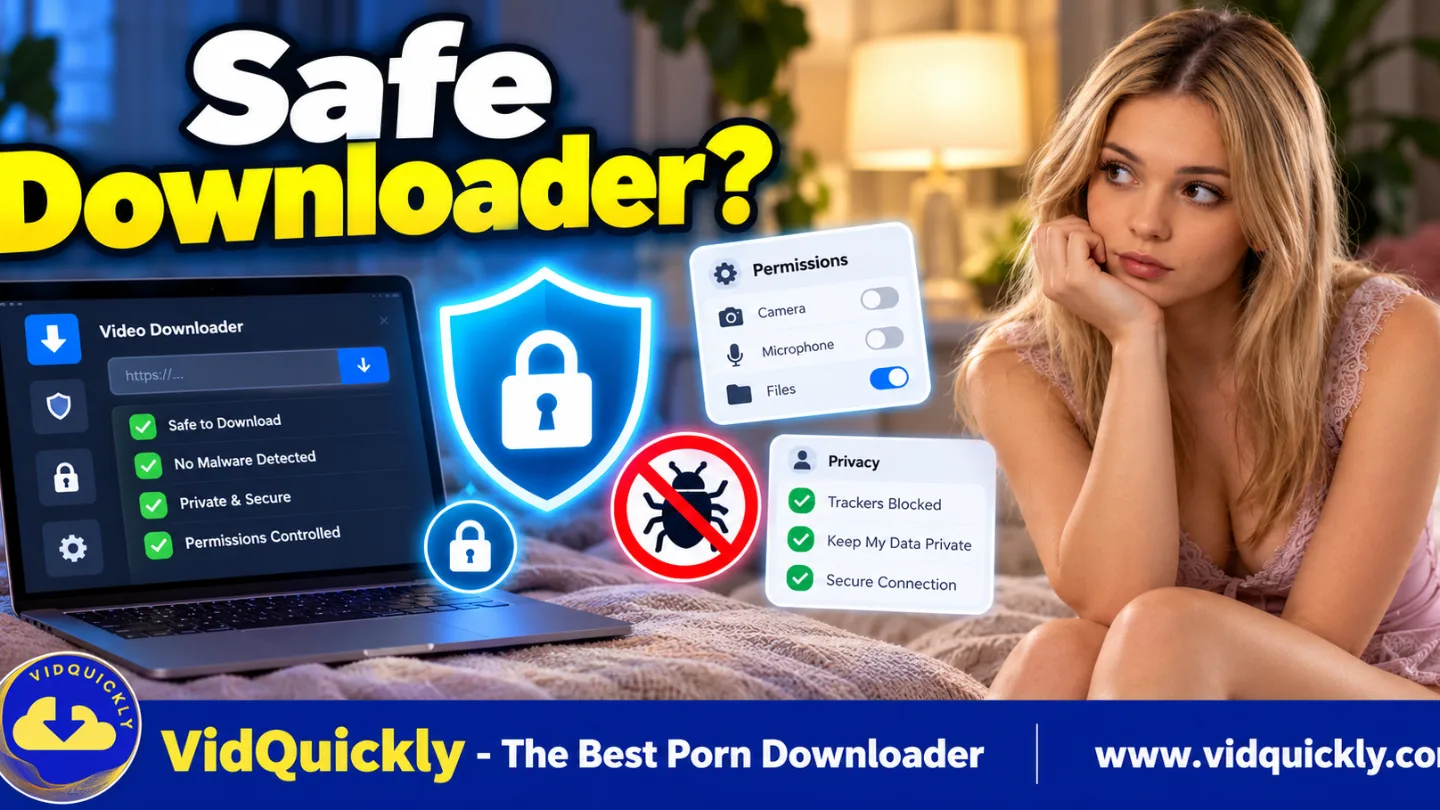
Is a PornHub downloader safe? It can be, but safety depends on the website, software, permissions, data collection practices, and how you store downloaded videos. An HTTPS connection and a free download button do not automatically make a tool trustworthy.
Unsafe downloaders may expose users to malware, fake download buttons, unwanted browser extensions, tracking, or suspicious installers. Even legitimate tools can collect technical information or leave files visible on shared devices.
This guide explains how to identify a safe PornHub downloader, protect your privacy, check browser and desktop app security, and follow a practical checklist before downloading supported videos.
Is It Safe to Use a PornHub Video Downloader?
A PornHub video downloader is safer when it comes from a verifiable source, explains its data practices, requests only necessary permissions, and avoids deceptive downloads. No online service can promise zero security risk.
You should evaluate the downloader before submitting a video URL or installing software.
Consider four areas:
- Website security: Check the domain, HTTPS connection, and suspicious redirects.
- Software security: Review installers, digital signatures, and antivirus warnings.
- Privacy: Understand what information the service can collect.
- File security: Protect downloaded videos from unwanted access or sharing.
A trustworthy downloader should explain its functionality without promising complete anonymity or guaranteed access to every video.
What makes an adult video downloader risky?
The most common risks involve deceptive software and unnecessary access to personal information.
Watch for:
- Fake download buttons that open unrelated websites.
- Installers downloaded from unofficial domains.
- Requests to disable antivirus protection.
- Browser extensions demanding broad website access.
- Unexpected requests for passwords or payment information.
- Aggressive notification permission prompts.
- Claims of completely anonymous or untraceable downloads.
- Executable files presented as video downloads.
A legitimate media file and a software installer serve different purposes.
If you expected an MP4 but received an executable program, stop and inspect the file before opening it.
How to Check Whether a PornHub Downloader Website Is Trustworthy
Check the exact website address, connection security, privacy policy, and download behavior before using a PornHub downloader. These checks help identify obvious warning signs, although they cannot prove that a service is completely secure.
Start with the website itself.
Does HTTPS mean a PornHub downloader is safe?
No. HTTPS protects data in transit between your browser and the website through TLS encryption.
It helps prevent certain forms of interception and modification during transmission.
However, HTTPS does not prove that the website operator is trustworthy.
A malicious website can also use a valid HTTPS certificate.
When checking a downloader:
- Inspect the full website domain.
- Confirm that the connection uses HTTPS.
- Avoid lookalike domains with unusual spelling.
- Review browser security warnings.
- Check the site's privacy and contact information.
Never treat the padlock or browser connection indicator as a complete security certificate.
What warning signs should you avoid?
Suspicious downloader websites often use confusing buttons or misleading messages to encourage unnecessary actions.
Be cautious when a site:
- Opens multiple unrelated tabs.
- Requires unrelated software before explaining why.
- Redirects to unfamiliar download domains.
- Requests browser notification access without a clear purpose.
- Claims that your device has a virus without credible evidence.
- Promises access to private or restricted content.
- Asks for account credentials that the download process does not require.
Close unexpected pages rather than following their instructions.
Use your browser's built-in security features and keep its protection settings enabled.
What Privacy Risks Come With PornHub Downloaders?
PornHub downloader privacy depends on what information the service collects, where processing occurs, and how long it retains data. Using a downloader without an account does not necessarily prevent tracking or identify protection.
Consider both the downloader website and the original video platform.
Can a downloader see my IP address?
Yes. A website that receives a connection can generally observe the public IP address associated with that request.
Depending on its configuration, it may also receive:
- Requested video URLs.
- Browser and operating system information.
- Network and device characteristics.
- Referral information.
- Cookies or other identifiers.
- Request times and technical error logs.
The exact information a service collects or retains depends on its implementation and privacy policy.
VidQuickly's published Privacy Policy states that it may collect submitted URLs, IP addresses, device information, browser details, and referral information.
Review the current policy before using any downloader.
Does downloading without an account make me anonymous?
No. No registration does not mean complete anonymity.
A website can receive technical request information without asking users to create an account.
Your browser, network provider, device, and operating system may also retain different records.
For example:
- Browser history may show visited pages.
- Download history may list saved files.
- Device storage may retain media metadata.
- Cloud backup services may synchronize files.
- Network services may record connection information.
Avoid trusting any downloader solely because it advertises an account-free experience.
Is private or incognito browsing enough?
No. Private browsing mainly limits some information that the browser keeps locally after the session ends.
It does not make your internet activity invisible to every party.
Private mode generally does not hide activity from the websites you visit or from network administrators and internet service providers.
Downloaded files also remain on your device unless you delete them.
Use private browsing as a local privacy feature, not as a guarantee of anonymity.
How to Avoid Malware and Fake PornHub Downloader Apps
Download desktop applications only from a verified source, inspect the installer, and keep your device's security protection enabled. Malware commonly spreads through deceptive installers, unofficial mirrors, and files disguised as useful utilities.
Before installing a downloader, verify what you are downloading.
How can I check a downloader installer on Windows?
Follow these steps:
- Open the developer's official website.
- Select the documented Windows installer.
- Check the filename and file extension.
- Review the displayed publisher or digital signature, if present.
- Scan the installer with Microsoft Defender.
- Read any SmartScreen security warning.
- Continue only when you can verify and trust the source.
A missing signature does not automatically prove malware, but it reduces the evidence available to confirm the publisher.
Do not disable Microsoft Defender merely because an installer requests it.
How can I check a downloader app on Mac?
macOS includes security protections such as Gatekeeper and application-signing checks.
To evaluate an installer:
- Download it from the official source.
- Confirm the application supports your Mac.
- Review the file and publisher information.
- Read macOS security prompts carefully.
- Inspect requested permissions.
- Avoid installers that demand unnecessary system access.
If macOS blocks an unfamiliar application, investigate the reason before making any security exception.
Never turn off system protections permanently just to run an unknown downloader.
Are browser extensions safer than desktop apps?
Not automatically.
Both browser extensions and desktop applications can create security risks.
Their risk profiles differ.
| Security Factor | Browser Extension | Desktop Application |
|---|---|---|
| Installation | Browser-specific | Operating system |
| Access to webpages | Depends on granted permissions | Depends on app design |
| Local file access | Usually browser-mediated | May have broader access |
| Network activity | Can make permitted requests | Can make network requests |
| Automatic updates | Often browser-store managed | Depends on distribution |
| Malware risk | Possible | Possible |
| Security review | Check publisher and permissions | Check source, signing, and permissions |
Avoid granting an extension permission to read and change data on every website unless that scope is necessary and you trust its developer.
A browser store listing or familiar app icon alone does not guarantee safety.
For broader downloader safety considerations, see VidQuickly's Facebook video downloading guide.
Privacy & Security Checklist Before Downloading PornHub Videos
Use this checklist before submitting a PornHub URL, installing an application, or saving a video. It covers the most practical risks without requiring advanced cybersecurity knowledge.
What should I check before clicking Download?
- Verify the downloader's exact domain.
- Confirm that the website uses HTTPS.
- Read the available Privacy Policy.
- Check whether the service collects URLs or technical information.
- Avoid uploading private credentials or session cookies.
- Reject unnecessary notification and browser permissions.
- Download software only from the developer's documented source.
- Inspect installer warnings and permissions.
- Choose a secure location for downloaded files.
- Confirm that you have permission to save the video.
If a tool fails several checks, choose another method rather than ignoring the warning signs.
What should I do after downloading?
Security does not end when the download completes.
Take these steps:
- Verify the file extension and format.
- Scan suspicious files before opening them.
- Play videos with updated media software.
- Check whether the output contains the expected audio and video.
- Remove unnecessary temporary files.
- Review browser download history on shared devices.
- Check automatic cloud synchronization.
- Delete files you no longer need.
Do not open unexpected executable files when you intended to download video.
How to Keep Downloaded PornHub Videos Private on Your Device
Protecting the downloaded file is just as important as protecting the download process. Even a legitimate MP4 can become visible through shared folders, recent-file lists, media galleries, and automatic cloud backups.
Storage settings vary across Android, iPhone, Windows, and Mac.
How do I protect downloads on Android and iPhone?
Start by checking where your browser or file manager saves downloads.
On Android:
- Use Files or your device's file manager.
- Check the Downloads folder.
- Review available device-lock and secure-folder features.
- Avoid moving sensitive files into shared folders.
- Check whether backup software includes the folder.
On iPhone:
- Open the Files app.
- Check On My iPhone and iCloud Drive.
- Review Safari's selected download location.
- Avoid importing sensitive files into Photos unnecessarily.
- Check iCloud synchronization and device access settings.
Some devices provide additional protected storage features, but availability varies by manufacturer and operating system.
How do I protect downloads on Windows and Mac?
Use a protected user account and keep your operating system updated.
Practical precautions include:
- Enable device encryption where available.
- Use a strong account password.
- Lock your computer when unattended.
- Avoid public or shared download directories.
- Review cloud synchronization settings.
- Keep file-sharing permissions restricted.
- Remove unneeded copies and temporary files.
Windows may support BitLocker or Device Encryption, depending on the edition and hardware.
Mac users can review FileVault in system settings.
Encryption helps protect stored data, particularly when a device is lost or stolen. It does not replace account security or malware protection.
How to Evaluate VidQuickly's PornHub Downloader Security
VidQuickly offers a PornHub download workflow through its website and desktop application for supported HLS streams. Users should still verify the official source, review permissions, and understand the service's documented privacy practices.
A legitimate-looking interface is not enough to establish complete security.
How does the VidQuickly PornHub download workflow operate?
For supported desktop downloads:
- Open the official VidQuickly PornHub Downloader.
- Copy the original public video-page URL.
- Paste the link into the downloader.
- Click Download.
- Select Download via App when available.
- Install the official VidQuickly Desktop App if required.
- Review the browser's external-app prompt.
- Allow the supported task to complete locally.
- Verify the resulting file.
VidQuickly's published desktop workflow uses the vidquickly:// application protocol to transfer a download task from its website to the installed software.
Current documentation lists Windows 10+ x64 and supported Apple Silicon Macs.
For detailed installation instructions, see How to Download PornHub Videos on PC and Mac.
Does VidQuickly guarantee anonymous downloads?
Do not assume so.
The published VidQuickly Privacy Policy describes collection of certain information, including submitted URLs and technical request data.
Therefore, an account-free interface should not be interpreted as proof of anonymous use.
Users should review the Privacy Policy and check for updated information about data retention, application telemetry, and download processing.
Local media processing also does not automatically prove that the entire workflow avoids server communication.
What should I verify before using VidQuickly Desktop App?
Check the official application page and confirm that your operating system is supported.
Then inspect:
- Installer source.
- Publisher or digital signature, when available.
- Security warnings.
- Requested system permissions.
- Available software updates.
- Destination folder.
- Published privacy information.
If the browser asks to open vidquickly://, approve the action only when you intentionally started it from the verified VidQuickly website.
Do not follow unexpected application-launch prompts from unrelated pages.
Can downloaded videos contain security problems?
Yes. Media-processing software can have vulnerabilities, and attackers sometimes exploit malformed files or outdated decoders.
Keep your media player and operating system updated.
If a downloaded MP4 behaves unexpectedly, inspect it before attempting conversion or repair.
For troubleshooting a file that plays without audio, see PornHub Video Download Has No Sound? Causes & Fixes.
Is Downloading PornHub Videos Legal and Private?
Video availability does not automatically give users permission to download, reproduce, or redistribute content. Copyright, creator consent, platform terms, and local laws may affect what you can legally save.
Security and legality are separate questions.
A downloader can be technically secure while a particular download remains unauthorized.
Is a public PornHub video free to download?
Not necessarily.
A public video may be available for streaming without granting permission to create a permanent copy.
Before downloading:
- Check whether the creator permits saving.
- Review applicable platform terms.
- Respect copyright and licensing restrictions.
- Avoid unauthorized redistribution.
- Never save or share non-consensual or illegal material.
Save public videos for offline personal research and educational purposes only when you have permission or another lawful basis.
Are other adult video downloader tools automatically safe?
No. Every tool requires its own security review.
VidQuickly also offers a PornOne Downloader and a PornHat Downloader for supported video sources.
Before using either tool, apply the same checklist:
- Confirm the official domain.
- Review the privacy information.
- Check available download methods.
- Avoid unnecessary permissions.
- Verify the resulting files.
- Respect creator rights and access restrictions.
A shared brand does not automatically establish identical processing methods, permissions, or privacy behavior across every tool.
Frequently Asked Questions About PornHub Downloader Safety
Can a PornHub downloader give my phone or computer a virus?
Yes, a malicious downloader website, extension, or installer can expose your device to malware.
However, using an adult-video downloader does not automatically mean your device will become infected.
Avoid suspicious software, keep security protection enabled, and inspect unexpected downloads.
Can PornHub downloader websites track my activity?
Yes. Downloader websites can receive technical connection information and may collect submitted URLs or other data.
Actual tracking and retention practices depend on the service.
Read the Privacy Policy rather than assuming account-free downloads are anonymous.
Is it safe to paste a PornHub URL into an online downloader?
Pasting a public video URL is generally less sensitive than submitting passwords or private session tokens, but it still reveals the URL to the downloader.
Use a trustworthy service with clear privacy practices.
Never paste credentials, authentication cookies, or private access tokens into unfamiliar websites.
Does incognito mode hide PornHub downloads from my internet provider?
No. Incognito mode mainly changes how the browser retains local browsing information.
It does not provide complete network anonymity.
Your internet provider and other network services may still observe connection metadata, subject to the technologies and protections involved.
Is it safer to download PornHub videos through a desktop app?
Not always.
A desktop app may offer useful processing capabilities, but it can also request greater access to the operating system.
Evaluate the installer source, application permissions, security updates, and privacy policy before installation.
Can antivirus software detect every dangerous downloader?
No. Antivirus software helps identify many known threats, but no scanner detects every malicious file or behavior.
Use antivirus protection together with cautious downloading, verified software sources, operating-system updates, and sensible permission management.
Are downloaded PornHub videos automatically private?
No. Downloaded files may appear in folders, recent-file lists, media libraries, or cloud backups.
Protect your device, review file-sharing settings, and control synchronization.
Local storage does not automatically provide encryption or prevent other device users from accessing a file.
Conclusion: Choose a Safer PornHub Downloader and Protect Your Privacy
A safe PornHub downloader should provide a verifiable source, understandable privacy practices, reasonable permissions, and clear download instructions. HTTPS, account-free access, and attractive security claims are not enough to prove complete protection.
Before downloading, check the website, inspect any installer, protect your device, and understand how files and technical data are handled.
For supported videos, VidQuickly offers a website-to-desktop-app workflow. Review its current documentation and privacy information before starting.
Ready to evaluate your download options? Visit VidQuickly's PornHub Downloader and follow the appropriate supported workflow.
Responsible use: Save public videos for offline personal research and educational purposes only when legally authorized. Respect privacy, consent, creators' rights, and platform terms.