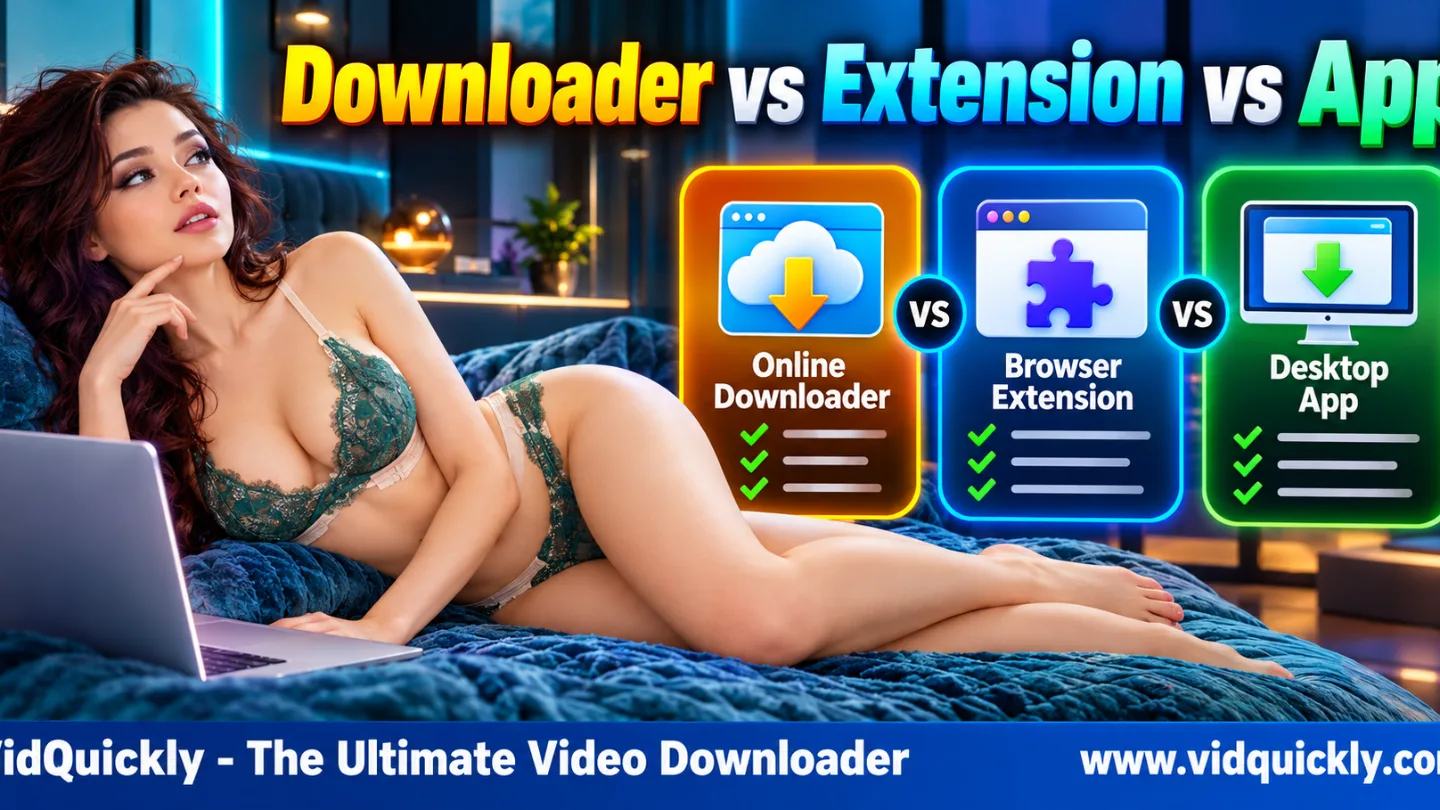
Which works best for downloading xHamster videos: an online downloader, browser extension, or desktop app? An online downloader is convenient for supported direct MP4 files. A browser extension can detect media while you browse. A desktop app is often better for complex HLS/M3U8 streams that need segment processing or audio and video assembly.
However, no method works with every source, and installing software does not guarantee better speed or quality.
For supported xHamster downloads, VidQuickly currently offers a website-to-app workflow when additional processing is required. This guide compares all three methods by compatibility, performance, security, video quality, and device support.
What Is the Difference Between an Online Downloader, Browser Extension and Desktop App?
The main difference is how each tool identifies, retrieves, and processes video files. Online downloaders work through a website, extensions operate inside a browser, and desktop apps use locally installed software.
Each approach has advantages and limitations.
How does an online xHamster downloader work?
An online xHamster downloader accepts a video-page URL through a website.
The service analyzes the submitted address and may provide downloadable formats when it recognizes a supported source.
A typical workflow includes:
- Open the downloader website.
- Copy the original xHamster video-page URL.
- Paste the link into the input field.
- Click Download.
- Review available formats.
- Save the video when a compatible direct download is offered.
Some online downloaders process media on remote servers. Others use browser-side processing or launch a separate application.
The website interface alone does not reveal where all processing takes place.
How does an xHamster browser downloader extension work?
A browser downloader extension adds functionality to Chrome, Firefox, Safari, or another supported browser.
Depending on its permissions and design, an extension may detect media requests, recognize page URLs, or show download actions while a video plays.
Possible features include:
- Detecting direct media links.
- Identifying some HLS playlists.
- Displaying available resolutions.
- Sending download tasks to the browser.
- Managing a small download list.
- Integrating with a separate download application.
However, extensions are subject to browser APIs, extension permissions, platform restrictions, and source compatibility.
An extension that recognizes an M3U8 playlist does not necessarily know how to create a complete MP4.
How does a desktop video downloader app work?
A desktop downloader app runs directly on Windows, macOS, or another supported operating system.
Its capabilities depend on the developer, but it may offer more flexible control over network transfers, temporary files, and media processing.
For supported HLS streams, an app may:
- Retrieve multiple media segments.
- Process video and audio renditions.
- Manage local temporary files.
- Assemble compatible streams.
- Create an MP4 output.
- Display download and processing status.
- Support retries or recovery.
These are potential capabilities, not guarantees for every application.
A desktop app still needs valid source access and compatible media information.
Online Downloader vs Extension vs Desktop App: Feature Comparison
Choose an online downloader for simplicity, an extension for convenient browser integration, or a desktop app for supported complex media processing. No option is automatically superior in every category.
The comparison below describes typical capabilities rather than guaranteed features of a particular product.
| Feature | Online Downloader | Browser Extension | Desktop App |
|---|---|---|---|
| Installation required | Usually No | Yes | Yes |
| Paste video URL | Common | Depends on extension | Common or website-triggered |
| Detect media while browsing | Limited | Often Supported | Depends on integration |
| Direct MP4 download | Often Supported | Often Supported | Often Supported |
| HLS/M3U8 processing | Implementation-dependent | Implementation-dependent | Often more flexible |
| Separate audio/video merging | Tool-dependent | Tool-dependent | Often Supported |
| Large temporary-file handling | Depends on workflow | Browser-limited | Usually more flexible |
| Download queue | Tool-dependent | Tool-dependent | Often available |
| Resume interrupted tasks | Tool-dependent | Tool-dependent | App-dependent |
| Installation security risk | Low when no software is installed | Extension permissions | Installer and OS permissions |
| Mobile availability | Browser-dependent | Limited and platform-dependent | Requires supported app |
| Best use case | Simple direct downloads | Browser-based media discovery | Complex supported streams |
Which method is easiest to use?
An online downloader generally requires the fewest setup steps.
You open the website, paste a URL, and choose an available option.
A browser extension can become more convenient after installation because it may detect supported media without repeated copy-and-paste actions.
A desktop app requires installation, but it can simplify advanced processing once configured.
The easiest method is the one that supports your actual video without unnecessary steps.
Which option offers the most control?
Desktop software often provides more control over local processing.
Depending on its design, it may expose:
- Output folders.
- Temporary-file locations.
- Download progress.
- Network retry behavior.
- Quality selection.
- File processing details.
Some browser extensions and online services offer similar controls.
Compare documented features rather than assuming an app contains every advanced function.
Which Method Works Best for xHamster HLS/M3U8 Videos?
A compatible desktop application is often a practical choice for xHamster HLS/M3U8 streams that require additional processing. However, capable browser-based tools can also process accessible HLS media when their implementation and authorization allow it.
The underlying stream matters more than the downloader's name.
Why can HLS streaming cause download problems?
HLS stands for HTTP Live Streaming.
Instead of relying on one direct media file, HLS can use playlists and many smaller video segments.
A stream may also provide separate audio and video renditions.
A complete offline download may require the tool to:
- Recognize the playlist.
- Identify available quality variants.
- Retrieve authorized media segments.
- Include the required audio.
- Preserve correct timestamps.
- Assemble a compatible output file.
A basic downloader that only saves one visible URL may not complete this process.
Read Why Does xHamster Use HLS/M3U8? How Video Streaming Affects Downloads for the technical details.
Can a browser extension download HLS videos?
Sometimes.
An extension may detect an M3U8 playlist and process supported media through browser APIs or another component.
However, it can encounter limitations involving:
- Cross-origin request permissions.
- Temporary media URLs.
- Unsupported playlist structures.
- Audio and video tracks.
- Browser-managed media objects.
- Restricted source access.
- Storage or background execution.
A browser extension is not automatically a complete HLS-to-MP4 converter.
Check whether the extension explicitly supports the media structure you need.
Can an online downloader process M3U8 without installation?
Yes, depending on its design.
Some services process authorized media on a server. Others use capable browser-side processing.
However, a browser's standard Save Video As function does not automatically assemble every segmented stream.
CORS restrictions may also prevent a third-party webpage's JavaScript from reading certain cross-origin responses.
CORS does not make all HLS downloading impossible.
The downloader needs an appropriate implementation and valid access.
Does a desktop app automatically handle encrypted HLS?
No.
HLS can use encrypted segments, including AES-128, but not every stream uses identical encryption.
Compatible software may process supported encrypted media when it has legitimate access to the required information.
A desktop application does not automatically remove DRM, authentication, or licensing requirements.
Do not choose software based on promises to defeat private access restrictions.
Which xHamster Downloader Is Faster and Produces Better Video Quality?
Download speed depends mainly on source delivery, network conditions, and the tool's implementation. Video quality depends on the original stream and selected encoding. Neither a browser extension nor desktop app can create genuine source detail that does not exist.
Compare actual results rather than marketing claims.
Is a desktop app faster than an online downloader?
Not necessarily.
For a direct MP4 file, a browser download may complete efficiently without extra processing.
For HLS, a desktop app may download many segments and then spend additional time assembling the final file.
Performance depends on:
- Internet bandwidth.
- CDN server response.
- Source bitrate.
- Number of media requests.
- Request concurrency and retries.
- Temporary storage performance.
- Media finalization time.
A desktop application may handle a complex workflow more reliably while still taking longer than a simple direct file transfer.
Do browser extensions download at full video quality?
They can preserve the selected source quality when they correctly download the original encoded media.
However, the extension must support the available source formats.
A video advertised as 1080p is not necessarily accessible as a complete direct MP4.
The selected quality may also use separate audio and video tracks.
Check the final file's resolution, bitrate, audio, and playback compatibility.
Does a desktop app improve 720p video to 1080p or 4K?
No.
A downloader cannot recover genuine image detail missing from the original stream.
Upscaling a 720p video into a 1080p file changes its output dimensions, not its native source quality.
Choose the highest suitable resolution actually offered by the source.
Higher resolution also increases storage requirements in many cases, although bitrate ultimately determines file size.
Which Method Is Safer for Privacy, Malware and Browser Permissions?
No downloader category guarantees complete security or anonymity. Websites can collect request information, browser extensions may access webpages, and desktop applications can request local system permissions.
Evaluate the provider and the exact installation package.
What privacy risks come with online downloaders?
An online downloader may receive submitted video URLs and technical connection data.
Depending on its policies and infrastructure, it may also collect IP addresses, browser details, or request logs.
HTTPS helps protect data during transmission but does not guarantee anonymous use.
Before using a service:
- Verify the domain.
- Review its Privacy Policy.
- Avoid submitting credentials.
- Reject suspicious redirects.
- Check unexpected download files.
An account-free interface does not automatically mean the service collects no information.
What permissions can browser extensions request?
Extensions can request access to website content, network requests, browser tabs, and downloads.
Permissions vary between browsers and extension versions.
Be especially careful with extensions requesting access to all websites.
A media detector may legitimately need access to some webpage or network information, but broad access increases the amount of data the extension could potentially observe.
Review the publisher, permissions, update history, and available security information before installation.
Are desktop applications safer because they process files locally?
Not automatically.
Local processing can reduce reliance on remote media-processing servers in some implementations.
However, desktop software may still communicate with websites, media CDNs, or application services.
It can also access local files according to its permissions.
To reduce risk:
- Download installers from the official source.
- Review publisher information or signatures when available.
- Scan suspicious installers.
- Keep operating-system protection enabled.
- Check requested permissions.
- Install security updates.
- Protect the saved output folder.
Never disable antivirus protection merely because an installer requests it.
How Does VidQuickly Combine Its Online Downloader and Desktop App?
VidQuickly uses its website as the starting point and offers Download via App for supported xHamster streams. The application receives the selected task from the website and handles compatible processing on the device.
This is a combined workflow, not two completely independent tools.
How does VidQuickly download a supported xHamster video?
For a video you own or have permission to save:
- Open the VidQuickly xHamster Video Downloader.
- Copy the original xHamster video-page URL.
- Paste the URL into the input field.
- Click Download.
- Review the offered download method.
- Select Download via App when available.
- Install the official compatible app if necessary.
- Approve the external-app prompt you initiated.
- Allow supported media processing to complete.
- Verify the final video and audio.
VidQuickly's published application documentation uses the vidquickly:// protocol to send tasks from the website to the installed application.
The app is designed to receive those tasks rather than act as a separate standalone URL-entry interface.
Which operating systems does VidQuickly App support?
VidQuickly's published App page lists version 1.7.0 with these requirements:
| Platform | Supported Application | Requirements |
|---|---|---|
| Windows | Native desktop app | Windows 10+, x64 |
| macOS | Native desktop app | Apple Silicon Macs |
| Android | Native Android app | Android 8+ |
| iPhone / iPad | No native app listed | Check available browser workflows |
Windows uses an MSI installer, macOS uses a DMG, and Android uses an APK.
The app page does not currently list an iOS version.
Check the official documentation before installing because requirements may change.
Does VidQuickly offer an official browser extension?
The current VidQuickly App page documents native Windows, macOS, and Android applications.
It does not list an official Chrome, Firefox, or Safari browser extension.
Therefore, do not assume that an extension using the VidQuickly name is officially supported.
If the developer later publishes one, verify its distribution page and permissions before installing.
When should I choose Download via App?
Use Download via App when VidQuickly offers that method for a supported xHamster link.
This is particularly relevant when the source requires additional media processing rather than a simple direct browser download.
The app may manage compatible HLS segments and final media assembly.
However, it cannot guarantee access to deleted, private, unavailable, or unsupported videos.
Which Downloader Works Best on Windows, Mac, Android and iPhone?
Your operating system can determine which methods are available. Desktop users generally have more software options, while mobile browsers place additional limits on extensions and background processing.
Choose a workflow that the developer explicitly supports on your device.
Which option is best for Windows users?
Windows users can choose between browser-based services, compatible browser extensions, and native desktop applications.
For simple supported MP4 downloads, an online tool may be sufficient.
For supported HLS streams requiring local processing, the VidQuickly Windows app is a practical option.
Always download its installer from the official site.
Check whether your computer runs the required x64 Windows version.
Which option is best for Mac users?
Mac users can use Safari, Chrome, supported extensions, and compatible native applications.
VidQuickly currently lists a macOS app for Apple Silicon Macs.
Intel Mac users should not assume that the published build supports their hardware.
For simple browser-compatible media, an online download may be easier.
For supported xHamster HLS downloads, follow the available app workflow on compatible hardware.
Which option is best for Android users?
Android supports browser downloads and compatible native applications.
VidQuickly currently publishes an APK for Android 8 and later.
Browser extension support varies by Android browser.
Do not assume a desktop Chrome extension can run in Chrome for Android.
When an app-based download is required, use the official APK and review the installation permissions.
Which option is best for iPhone and iPad users?
iPhone and iPad users have fewer native application options for this specific VidQuickly workflow.
The current VidQuickly App page does not list an iOS download.
Safari also manages downloaded files through the Files app and operates within iOS background-execution rules.
Some Safari extensions exist, but availability and capabilities differ from desktop Chrome extensions.
Do not assume that an extension or desktop application workflow works on iOS.
Verify browser-compatible options for each supported source.
How to Choose the Right xHamster Downloader and Fix Common Failures
Start with the original video format, your device, and the downloader's documented capabilities. Choose the simplest supported method rather than installing multiple tools without knowing which problem you need to solve.
Use this decision process.
Which method should you choose?
- Confirm that the original video is available and you have permission to save it.
- Copy the complete video-page URL.
- Check whether a direct browser-compatible download is offered.
- Use the online method if it supports the selected file.
- Consider a trusted browser extension only when it provides a needed and documented feature.
- Choose the desktop or Android app when the service recommends additional processing.
- Verify audio, video, duration, and file integrity.
For supported xHamster streams on VidQuickly, follow its current Download via App instructions when offered.
What if an online downloader detects no formats?
First, confirm that the URL points to an individual video page.
Then check whether the source is still available and accessible.
A missing format can result from an unsupported URL, source changes, temporary media information, or restricted access.
Changing from a website to an extension does not automatically fix those issues.
Read Why Is xHamster Downloader Not Working? for additional diagnostics.
What if Chrome or Safari blocks the download?
Check the browser's download history, permissions, and error message.
A browser may block suspicious automatic downloads or prevent webpage scripts from reading unauthorized cross-origin responses.
Another browser may help with extension conflicts or settings, but it cannot guarantee support for every HLS stream.
See Why Can't Chrome or Safari Download xHamster Videos? Browser Fixes Explained.
Do other video websites need the same downloader method?
Not necessarily.
Different websites may provide direct MP4 files, HLS streams, or other media formats.
VidQuickly also offers a RedGIFs Video Downloader and a SpankBang Video Downloader for supported sources.
Their available download methods may differ from xHamster.
Use the tool that matches the original video platform.
Do not assume all adult video websites use the same processing workflow.
Conclusion: Online Downloader, Extension or Desktop App?
The best xHamster downloader depends on the video format, your device, and the features you actually need. Online downloaders offer convenience for compatible direct files. Browser extensions can simplify media discovery, but permissions and streaming support vary. Desktop apps often provide more flexible processing for supported HLS/M3U8 sources.
For VidQuickly, start on the website and use Download via App when the selected xHamster video requires it. Verify the source, software permissions, and finished file rather than relying on download-speed promises.
Ready to choose a supported method? Visit VidQuickly's xHamster Downloader and follow the available workflow.
Responsible use: Save public videos for offline personal research and educational purposes only when you have permission or another lawful basis. Respect creators' rights, consent, and platform terms.
Frequently Asked Questions About xHamster Download Methods
Is an online xHamster downloader better than a browser extension?
An online downloader is often easier for supported direct files because it requires no extension installation.
A browser extension can be more convenient for detecting media while browsing.
The better choice depends on source compatibility, requested permissions, and the features you need.
Can Chrome extensions download xHamster HLS/M3U8 videos?
Some extensions can detect or process supported HLS playlists.
However, browser security rules, separate audio tracks, temporary URLs, and unsupported media structures may limit them.
Detecting an M3U8 playlist does not guarantee that the extension can create a complete MP4.
Is a desktop xHamster downloader faster than an online tool?
Not always.
Download speed depends on the source server, network, selected bitrate, and downloader implementation.
A desktop app may offer more reliable processing for complex streams while requiring additional time for media assembly.
Does VidQuickly need a desktop app for xHamster?
VidQuickly's published app documentation offers Download via App for supported xHamster links.
The website remains the starting point.
Follow the option presented for the selected source, because browser-compatible files and complex HLS streams can require different handling.
Does VidQuickly have an official Chrome extension?
The currently published VidQuickly App page lists Windows, macOS, and Android applications, not a Chrome extension.
Do not assume an extension claiming the same name is official.
Verify any future extension through the developer's own website.
Which xHamster download method works best on Android?
Use a supported browser download for compatible direct files.
For xHamster streams offered through VidQuickly's app workflow, Android 8+ users can review the official APK.
Check the current software requirements and permissions before installation.
Can I use a desktop xHamster downloader on iPhone?
No. Windows MSI and macOS DMG installers do not run natively on iPhone.
VidQuickly currently does not list a native iOS app.
Check whether a browser-compatible download method is available for your authorized source.